Introduction
Half of the year 2025 has passed, but you know what? Managing the heat generated by PC components is still a mystery. PC users apply different cooling techniques/products to cool down their CPUs/GPUs.. Similarly, most manufacturers are busy bringing innovation to their cooling technologies. But modern hardware is designed to deliver performance, while performance requires power, and this power leads to overheating.
Here, the role of thermal interface materials (TIMs) begins to manage such overheating. “Thermal Paste” is one of the known TIMs used to control the heat generated by PC components. This paste is a viscous substance applied between the two surfaces of PC Components. It is mostly used in CPUs, GPUs, Heatsinks, and Gaming Consoles. Other known names of this paste are thermal grease, thermal compound, and heatsink compound.
Today, we will analyse how the best thermal paste works. What are the available options? What is the major performance difference between each? What are the applications of thermal paste? And how to properly apply the paste?

Understanding Thermal Paste
Thermal Paste is a semi-liquid material used as a heat-transferring medium between PC components. It assists in heat transfer, fills air gaps, and improves performance. Moreover, it also enhances the lifespan of components without any compromises.
When two surfaces of PC components attach, microscopic air gaps are left behind. Even though they seem flat and perfectly aligned, they are not in reality. You know what? Air is considered a poor thermal conductor and increases the chance of overheating.
Here, the role of thermal pastes comes into play. Because viscous pastes can easily spread over the surface and eliminate air gaps efficiently. So, by following this principle, a thermal paste becomes a cooling solution to transfer heat and manage temperatures.
Manufacturing Material
The best thermal paste is manufactured utilising quality ingredients like Base Material and Thermally Conductive Fillers. It further includes,
- Base Material: Silicone Oil, Synthetic Oil, Mineral Oil, Epoxy, and Urethane.
- Thermally Conductive Fillers: Aluminium Oxide, Zinc Oxide, Aluminium Nitride, Boron Nitride, Graphite, and Graphene.
- Others: Anti-oxidants, Thickeners, and Spreading Agents,
Types of Thermal Paste
- Silicone-Based
- Metal-Based
- Carbon-Based
- Ceramic-Based
- Liquid Metal
Key Features
- Thermal Pastes feature a Thermal Conductivity of 1–13 W/m·K.
- It provides an Operating Temperature of –50 to +200 degrees Celsius.
- Silicone-Based Pastes provide Electrical Insulation.
- Thermal Pastes easily spread over the surface due to their viscous nature.
- Most Pastes can easily work for 3-5 years.
- New Pastes are super easy to apply.
- Thermal Pastes are a cost-effective cooling solution.
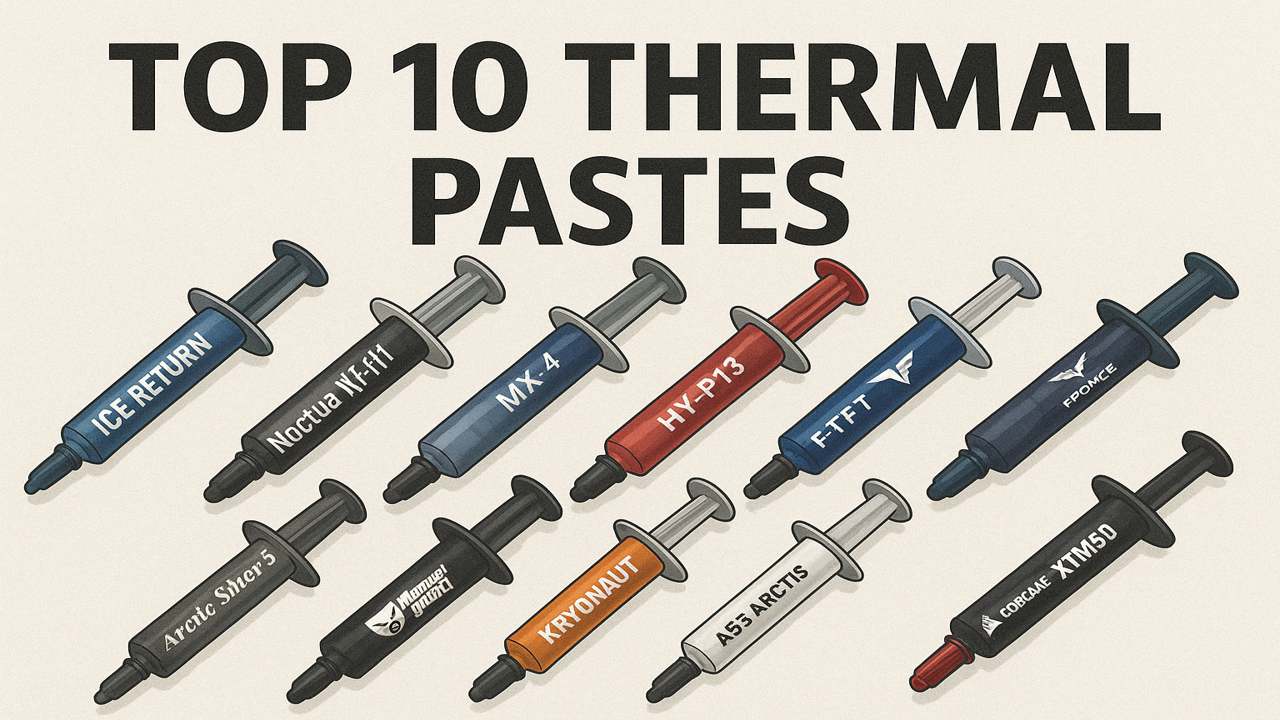
Top 10 Thermal Paste Options
Choosing the right thermal paste always depends on the reputable brand and quality of its ingredients. Manufacturers tend to make thermal paste according to the requirements of modern hardware. Still, it is not easy for everyone to choose a specific one. Today, we have shortlisted 10 reputable thermal compound manufacturers. Check out each according to your convenience and budget range.
1: Thermal Grizzly Kryonaut
Thermal Grizzly Kryonaut is undoubtedly one of the best thermal pastes. It belongs to the ceramic-based pastes and is super compatible for high-end performance and overclocking. Thermal Grizzly Knryonaut features a superior thermal conductivity of 12.5 W/mK. Similarly, it features an operating temperature range of -250 to +350 degrees Celsius. The per-gram price of this paste is $9.01 (USD)and above.
Pros
- Thermal Grizzly Kryonaut is a performance beast.
- Kryonaut provides wider operating temperatures than all the other pastes.
- Thermal Grizzly pastes also provide electrical insulation.
- This paste features reliability and durability.
Cons
- Thermal Grizzly Kryonaut is expensive.
- A bit Thicker Consistency

2: Arctic MX-4
The Arctic MX-4 by Arctic Silver is also a carbon-based thermal compound. It features its compatibility for low to medium-end usage. Gamers and professionals can prefer Arctic MX-4 for a reliable and stable performance. This paste offers thermal conductivity of 8.5 W/mK and an operating temperature range of -50°C to +150 degrees Celsius. The per-gram price of Arctic MX-4 is $1.75 (USD).
Pros
- MX-4 is a budget-friendly/cheap thermal paste.
- This thermal paste provides electrical insulation.
- MX-4 performs best with low-to medium-end usage.
- Arctic MX-4 features easy application.
Cons
- Arctic MX-4 is not suitable for a High-End System or Overclocking

3: JiuJu Thermal Paste
JiuJu manufactures the best thermal pastes based on their performance, reliability, and affordability. This brand manufactures various thermal pastes compatible with low/high-end PC systems. Each performs up to the required standard. JiuJu’s thermal pastes offer thermal conductivity of 7.5 W/mK and an operating temperature range of -50°C to +150 degrees Celsius.
Pros
- JiuJu Thermal Grease features high thermal conductivity.
- Most of their thermal pastes are non-conductive.
- JiuJu pastes are a budget-friendly option.
- They feature reliability, longevity, and stability.
Cons
- Not any Notable
4: Arctic Silver 5
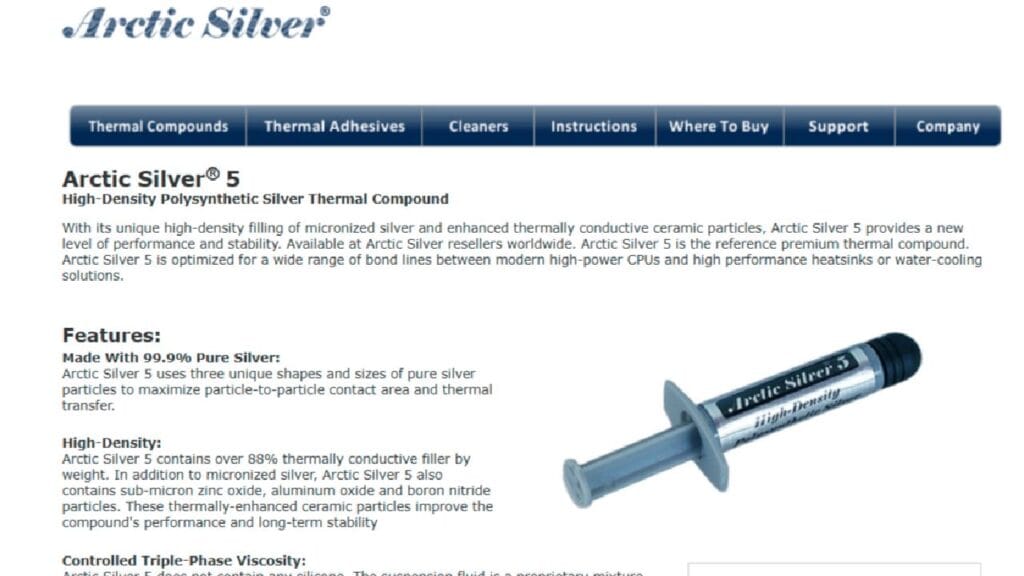
Arctic Silver 5 can still position itself among the best thermal pastes. Silver 5 remained a solid choice of old systems, as it’s also an old paste. The only reason behind such fame is its superior performance due to the particle size of micronised silver. It features thermal conductivity of 8.9 W/mK and an operating temperature of -50 to +130 degrees Celsius. The per-gram price of Arctic Silver 5 is $3.60 (USD).
Pros
- Best thermal compound for older model Processors, Graphics Cards, CPU Coolers, or Air Cooling Systems.
- Arctic Silver 5 is Cheap and Affordable for most users.
- It provides the best performance for a long time.
Cons
- Arctic Silver 5 does not cure at ambient temperature, it requires 200 hours of thermal cycling.
- Arctic Silver 5 is not fully non-conductive, so it requires extra care.
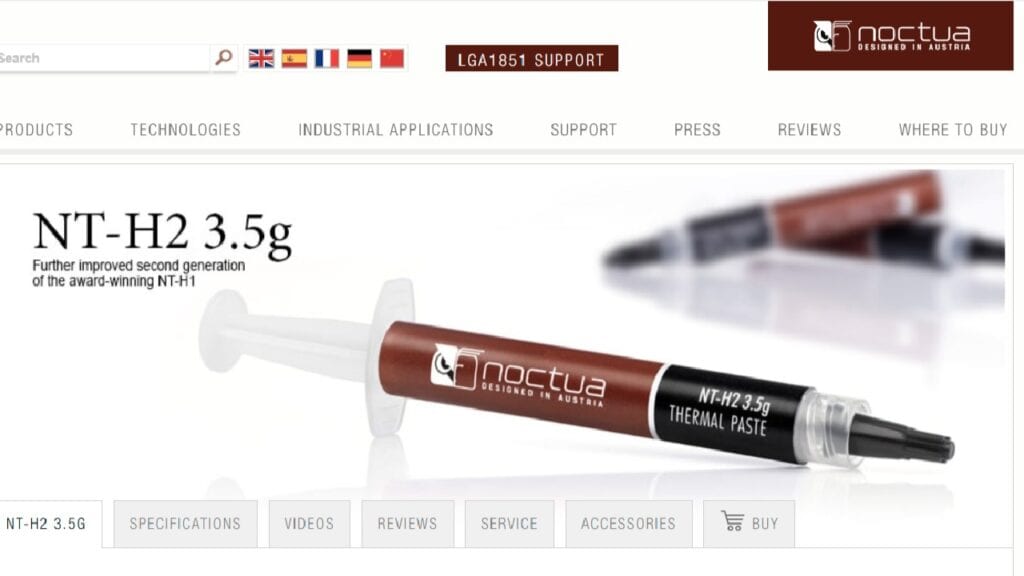
5: Noctua NT-H2
Noctua NT-H2 is another top-class thermal paste famous for its best performance. NT-H2 performs almost similarly to Kryonaut while being more efficient than MX-4. It features thermal conductivity of 9 W/mK and an operating temperature of -50 to +200 degrees Celsius. NT-He is the best choice for overclocking CPUs and high-end PC systems. The per-gram price of Noctua NT-H2 is $3.97 (USD).
Pros
- Noctua NT-H2 is the best paste for high-end users.
- NT-H2 is a fully non-conductive thermal paste.
- This paste requires no curing time.
- Noctua pastes can easily perform for more than 5 years.
Cons
- This thermal compound is not for ultra-level overclocking
- Not so high in Liquid Metals
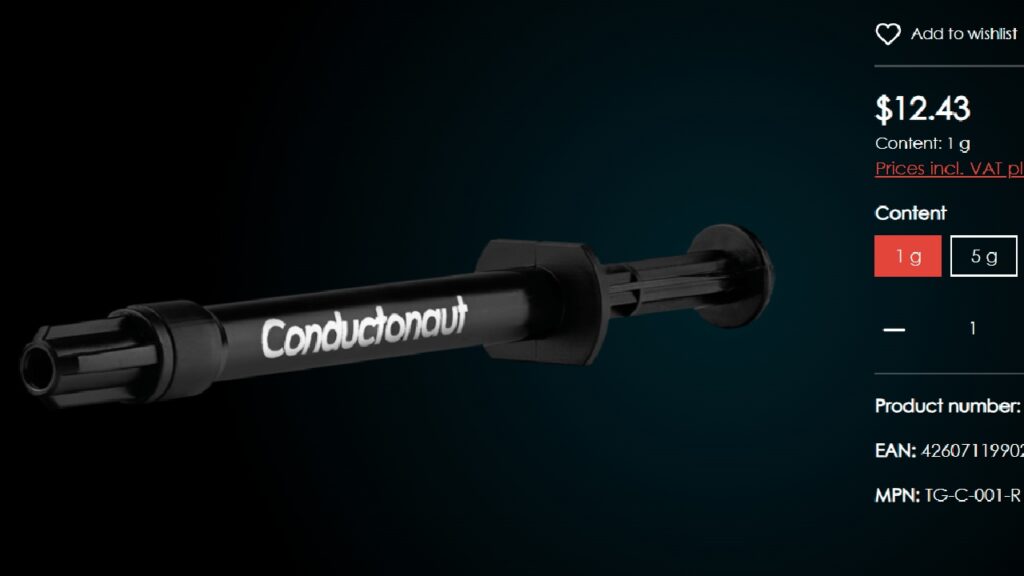
6: Thermal Grizzly Conductonaut
One can break the barriers of top performance with Thermal Grizzly Conductonaut. It is the best paste offering a liquid metal composition and extreme overclocking. Conductonaut is ready to go, whether it’s a matter of air-cooling or liquid cooling. It provides thermal conductivity of 73 W/mK while the operating temperature range is 10 to +150 degrees Celsius. Similarly, the price of this paste for each gram is $12.43 (USD).
Pros
- Thermal Grizzly Conductonaut features a very high thermal conductivity.
- This paste operates 10 to 15 degrees cooler than others.
- It is the best choice for overclockers (CPU, GPU).
- Conductonaut features a sufficient amount of liquid metals in its composition.
Cons
- Conductonaut is an electrically-conductive thermal grease.
- This paste is not for normal use or beginners.
- Conductonaut is not as cheap as other pastes.
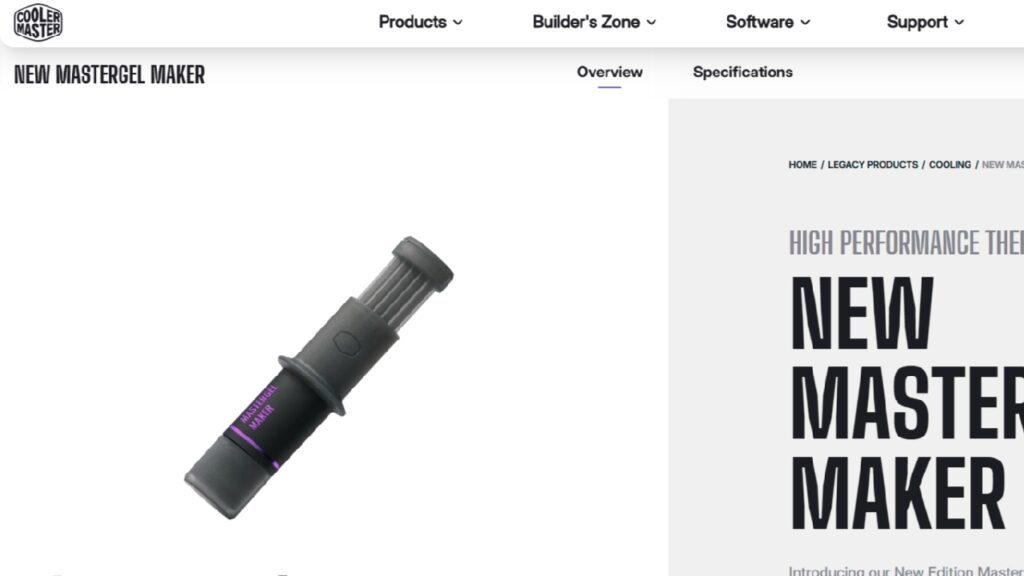
7: Cooler Master MasterGel Maker
This thermal paste belongs to the family of diamond-based ingredients and is considered safer in application than liquid metal. It is also compatible with high-end CPUs/GPUs and even for overclockers. Cooler Master MasterGel Maker features thermal conductivity of 11 W/mK and an operating temps of -50 to +150 degrees Celsius. Moreover, the price of each gram is $14.73 (USD).
Pros
- This thermal paste is safer than Liquid Metal pastes.
- MasterGel Maker performs up to standard.
- MasterGel Maker is electrically insulated.
- This grease requires no curing time to start functioning.
Cons
- MasterGel Maker is a bit more expensive.
- It is available in a pack of 4 grams only.

8: Gelid GC-Extreme
PC enthusiasts have tested Gelid GC-Extreme and shared positive feedback. It has proved to be a solid choice for extreme usage and overclocking. It is compatible with high-end CPUs and GPUs. Similarly, it is also a decent choice for LN2 setups. GC-Extreme offers a conductivity range of 8.5 W/mK and an operating range of -85 to +180 degrees Celsius. The price of each gram is $4.99 (USD).
Pros
- Gelid GC-Extreme is a best fit for LN2 setups.
- It supports overclocking of both CPU & GPU.
- The price is still affordable if we compare it with the performance.
- GC-Extreme features electrical insulation.
Cons
- The conductivity ratio of GC-Extreme paste is lower than liquid metal pastes.
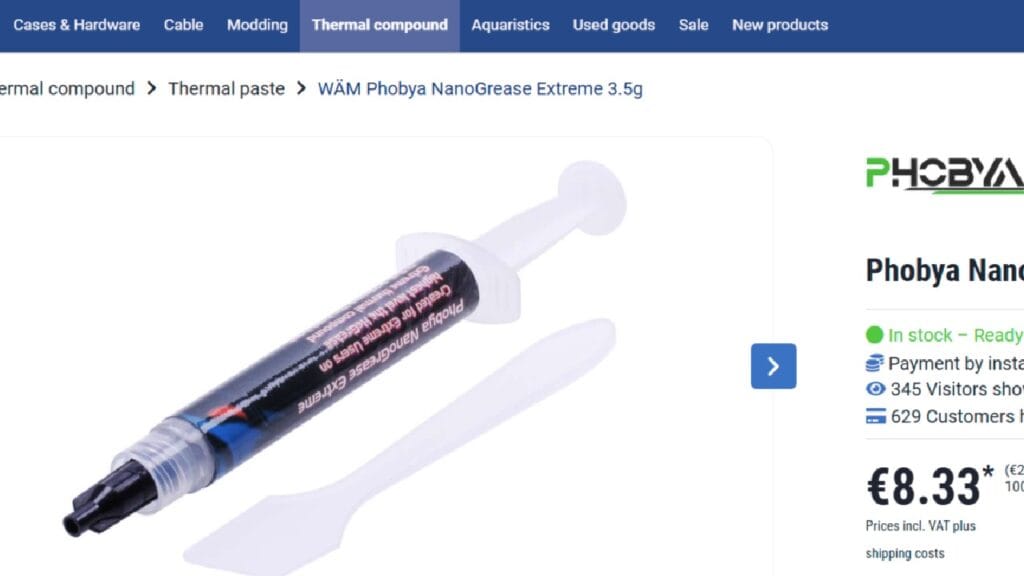
9: Phobya Nanogrease Extreme
Although this company is not a well-known name in the market but the thermal paste it manufactures provides remarkable performance. Phobya Nanogrease Extreme is compatible with high-end gaming systems and workstations. This thermal grease offers a conductivity ratio of 16 W/mK and an operating range of -40 to +130 degrees Celsius. Further, the normal market price for each gram is $3.35 (USD).
Pros
- This paste offers a decent conductivity for high-end performance.
- Phobya Nanogrease Extreme features 100% electrical insulation.
- Comparatively cheaper than others with the same specifications.
- This paste offers a lifespan of more than 5 years.
Cons
- Availability issues are a concern for Nanogrease Extreme.
- Thicker Viscosity of Phobya Nanogrease Extreme takes efforts to spread.
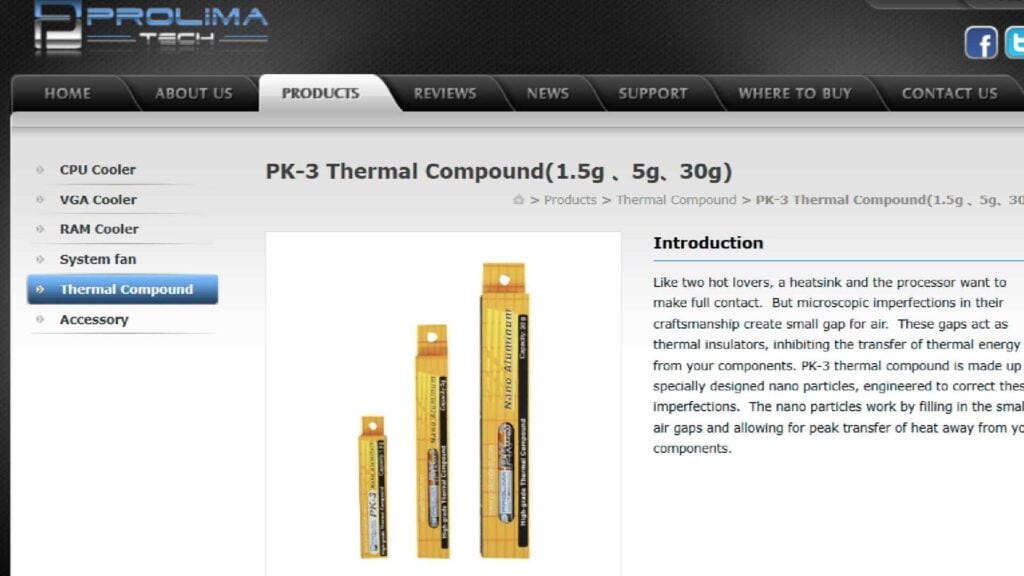
10: Prolimatech PK-3
The Prolimatech PK-3 is a decent option for gamers, overclockers (Medium-Level), and other professionals. It can keep components cooler under extensive usage. The core reason behind such a decent performance is the use of nano-aluminium particles in its composition. Prolimatech PK-3 offers a conductivity ratio of 11.2 W/mK and an operating range of -45 to +180 degrees Celsius.
Pros
- The overall cost of Prolimatech PK-3 is affordable.
- The overall performance of PK-3 is suitable for high-end CPUs and GPUs.
- Prolimatech PK-3 is reliable, durable, and stable.
- PK-3 Thermal Paste provides complete electrical insulation.
Cons
- It is difficult to remove the old spots of Prolimatech PK-3.

How to Apply Thermal Paste?
Below is a fine application method for the thermal paste. Make sure to have cleaning wipes, liquid cleaner, an applicator, and hand gloves. Moreover, users can also follow YouTube tutorials and the user-friendly product manual to get things more clearly. NOTE: Things can get worse if thermal paste is not applied accordingly. Let’s start,
- Plug out every electrical connection to your computer.
- Disassemble the CPU/GPU from the motherboard.
- Clean the spots of old paste with wipes and cleaning liquid.
- Dry it with a clean piece of cloth.
- Apply the recommended amount of thermal paste over the CPU/GPU.
- Place the heat sink over the CPU/GPU.
- Apply gentle pressure to ensure smooth attachment.
- Reassemble the CPU/GPU back in the motherboard.
- Close the chassis, and plug in the electrical connection.
- Start the computer and test the temps using reputable tools.
Final Remarks
One can never deny the importance of this small pea-sized thermal paste. It can handle the temps, performance, and longevity of PC components. Before choosing a specific thermal paste, one must thoroughly understand the requirements, compatibility, and available options. Multiple reputable brands are offering a variety of thermal greases.
For high-end usage and overclocking, users must prefer liquid metal thermal pastes (Thermal Grizzly Conductonaut). Similarly, users must prefer carbon or ceramic-based pastes (Arctic MX-4) for medium-level performance. Moreover, the conductivity ratio, operating range, and electrical insulation should be analysed before deciding on a final product.
Leave suggestions at the end of this article, and also visit JiuJu’s Product Page for more information about Thermal Interface Materials like Thermal Paste, Thermal Pads, and others.
Frequently Asked Questions
Q: What will happen if I don’t apply the thermal paste?
A: The Computer will get overheated, and you may lose the components.
Q: Why do thermal greases have different prices?
A: Each thermal paste has a different composition, and the price is based on the ingredients.
Q: Which is a reputable platform to get products like thermal paste?
A: JiuJu can be your next choice for thermal interface materials.