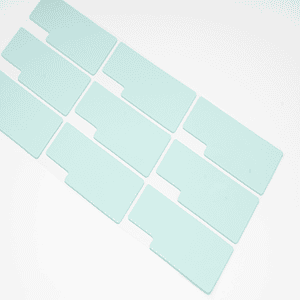

There is a lot of difference between applying a thermal pad vs. accurately applying a thermal pad. One must understand this difference to avoid blunders during application. Blunders sometimes cause overheating and damage to PC components. So, to obtain an appropriate cooling performance, the pads must be installed accurately.
Today’s article will focus on the thermal pad application process. How can one apply a thermal pad on a CPU, GPU, SSD, and other PC components? What are the precautionary measures one should adopt? What is the surface preparation and cleaning before application? So, in the end, one will be able to attempt the application process.

What is a Thermal Pad?
A thermal pad is a thermal interface material that moves heat from components. This pad also fills the air gaps perfectly to ensure a smooth passage for heat transfer. It is manufactured using a mixture of silicone with other conductive fillers. Fillers include metallic-based, ceramic-based, and carbon-based fillers.
– Types
- Silicone Thermal Pads: These pads are made of silicone material and are commonly used compared to others.
- Graphite Thermal Pads: These pads are made of graphite material and are famous for their high thermal conductivity.
- Metal-Based Thermal Pads: These pads are made of metals, including aluminum/copper. They provide an ultimate thermal conductivity.
- Phase Change Thermal Pads: These pads change their nature parallel to a change in temperature and are good fillers of air gaps.
– Key Features
- Thermal Pads feature higher thermal conductivity.
- Thermal Pads feature wide operating temperatures (+,-).
- Thermal Pads are soft plus flexible.
- Thermal Pads are reliable and durable.
- Thermal Pads are easy to install.
- Thermal Pads can be cut into various sizes and thicknesses.
Before Applying Thermal Pad
- Tools: Make sure to have the required tools, like a screwdriver, pad cutter, and safety gloves.
- Cleaning Tools: Make sure to have the cleaning items, like a fiber cloth and cleansing liquid.
- Pads Size: Make sure to have or cut the thermal pad to the required size and thickness.
- Surface Cleaning: Clean the surface with no spots of old TIM left.
- Protection Layer: Make sure to remove the protection layer over the pads. If not, it may result in overheating.
- Check Temperatures: Check the current temperature level before installing the new thermal pads.
- Power Switch: Turn off the power connection to your component before applying the thermal pad.

Guide to Apply Thermal Pad on Different Components
Below is the process of applying a thermal pad on each component.
a) Thermal Pad on GPU:
- Well, first, turn off any electric connection to the machine. Then, remove the GPU from the motherboard and unscrew it with tools.
- Once the GPU is opened, take a soft cloth, dip it in the liquid cleaner, and remove the surface where the old thermal material is applied.
- After the cleaning process, it’s time to accurately measure the size and thickness of the pad you need to apply.
- When the measurement is completed, cut the thermal pad to the required size with a pad cutter or scissors.
- Now, apply the thermal pad carefully and press it gently to attach to the surface.
- Reassemble the GPU and install it back in the motherboard. Double-check the applied procedure before turning on the PC.
- Turn on the PC and start a check test. Monitor the temperatures with reputable tools under different operating loads.
b) Thermal Pad on CPU:
- Turn off the power connection, open the PC case, and detach the CPU. Make sure to wear safety gloves and a face mask.
- Open it up and separate the Heat Sink/Cooler from the CPU.
- Properly clean the surface where the old TIM is applied.
- Now cut the thermal pad as per the required size. Be careful when measuring the required thickness and size.
- Remove the protective layer and apply the thermal pad.
- Assemble the components as they were and install them back in the case.
- Turn on the machine and monitor the temperatures through the tool or software.

c) Thermal Pad on VRM
- Voltage Regulator Module is an important component that controls the voltage from the Power Supply. It converts the 12-volt energy into lower figures according to the requirement of the CPU or GPU.
- Shutdown the computer/laptop and remove the power cable. Disassemble the VRM from its location (depends on CPU, GPU, & Motherboard).
- Unscrew the components carefully and perform the cleaning process on the required surface. Use a liquid cleaner and a soft cloth for the cleaning process.
- Now take a measurement tool, and not the recommended size of the thermal pad to apply.
- Cut the thermal pad according to the measured size and thickness. Use a cutter or scissors for accurate cutting.
- Apply the thermal pad on the required place and remove its protection layers (single or dual).
- Apply with gentle pressure to ensure a smooth connection between the surface and the thermal pad.
- Tighthen the screws and reinstall the VRM in its location. Turn on the machine and run tests for temperature analysis.
d) Thermal Pad on SSD
- To apply thermal pad on the Solid State Drive. Turn off the computer/laptop if the SSD is already installed there.
- Disassemble the SSD and open it carefully with the recommended tools.
- Once the body is disassembled, clean the surface of the SSD thoroughly where the thermal pad will be applied.
- Measure the required size using any reputable measurement tool. Make sure to choose the specific thickness of the pad for SSDs.
- Cut the thermal pad into sizes accordingly. Then, remove the protective layer around the pad and install it on the SSD.
- Reassemble the body of the SSD and install it back in the motherboard.
- Run check tests on the tools to measure the operating temperatures. If everything is all right, you are good to go.

Common Mistakes to Avoid During Application
- Wrong Thickness: Choosing the wrong thermal pad thickness could negatively impact its performance.
- Dirty Surface: A dirty component’s surface can also negatively impact the cooling performance of the thermal pad.
- Protection Layer: Installing a thermal pad without removing its protection layers will not provide accurate thermal performance.
- Applying too much Pressure: When you apply unnecessary pressure on the thermal pad, it becomes misaligned with the component and lacks performance.
- Unnecessary Touching: When you touch the thermal pad too much after removing the protection layers. It can become dirty with less thermal efficiency.
JiuJu Quality Thermal Pads
Buying a thermal pad from a reputable manufacturer has the same worth as gaining the necessary knowledge of thermal pads. Without any long story, we recommend getting thermal Pads from JiuJu. We at JiuJu are an old and renowned manufacturer of thermal interface materials.
Our products are used by more than 500 clients at the business level. Following the required quantity, we cross the monthly production figure of 20+ tons. The whole process, from the manufacturing phase to the delivery process, is performed under the supervision of an experienced team.
Businesses/Consumers can approach JiuJu’s customer support here. Our professionals will guide you from choosing the product to signing the final deal. Our appropriate rates and quality of products will make you never regret your decision to buy from JiuJu.
Final Insights
Thermal Pads are a solid solution to transfer the heat elements away from components. Applying a thermal pad is not that tricky, but it still requires proper criteria to follow. Criteria include a compatible pad, a required thickness, and a quality pad. There are different application requirements for each PC component. Once applied correctly, it will improve thermal performance and the longevity of the components.
Don’t forget JiJu’s high-quality Thermal Pads if you are searching for them. Because we never compromise on the quality of our products.