Wondering how much thermal paste you should apply to CPU? Continue reading this guide to learn about it.
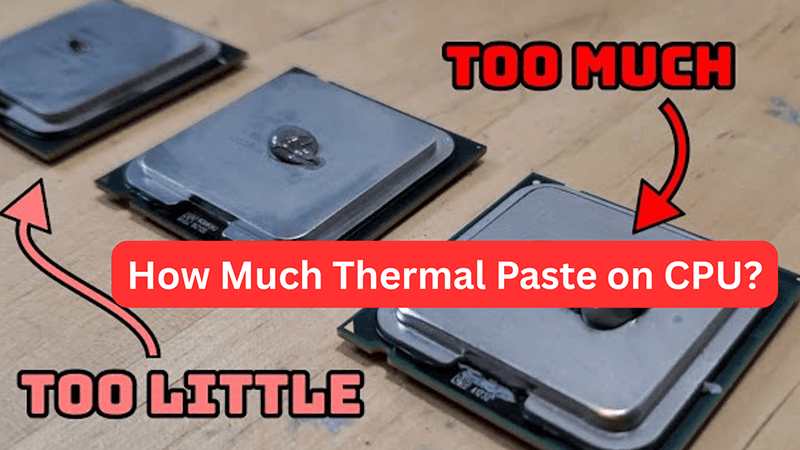
While PC building or replacing a CPU cooler, applying the right volume of thermal paste is very crucial. Because this directly affects your PC’s thermal performance. If you apply too much paste, it will overflow and can damage other components. Whereas applying thermal paste in a lesser amount will leave air gaps, meaning poor heat transfer.
That’s why we’ve designed this guide to help you determine the right amount of paste to apply. You’ll also learn the correct application steps and different application techniques for best performance. By the end, we’ve also shared few mistakes you should avoid for optimal cooling.
So, let’s proceed ahead!
Understanding the Role of Thermal Conductivity in CPU Cooling Performance
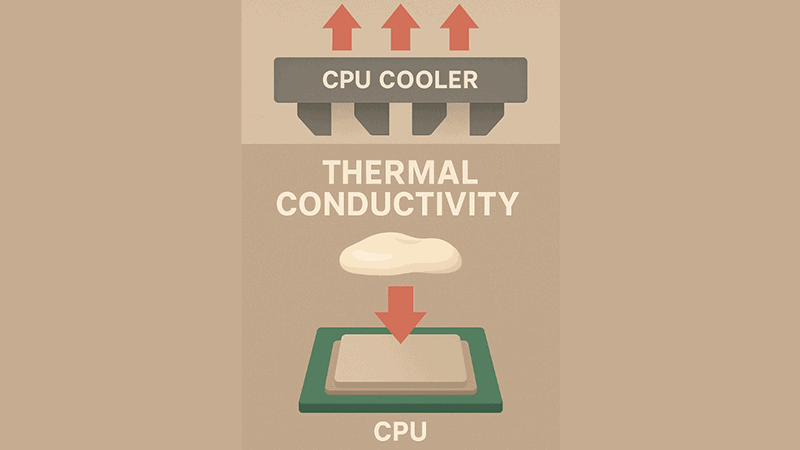
To understand how thermal paste improves your CPU’s cooling performance, you first need to understand thermal conductivity. Because thermal conductivity is a key factor that moves your motherboard’s heat and keeps your computer cool.
Basically, when your CPU runs, it constantly generates heat. This heat needs to pass away from CPU chip to air cooler (heatsink) to maintain effective heat transfer and ensure best performance. This entire process of heat transfer is done through thermal interface material‘s thermal conductivity (it is the ability to transfer heat).
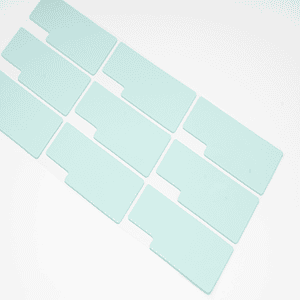
Commonly, thermal paste, which is one of the thermal interface material types, is widely used compared to thermal pads or thermal gel. Thermal paste is a soft and thermally conductive material(not an electrical conductivity material). When you apply the paste onto the entire surface of your CPU’s integrated heat spreader (IHS), it fills the air gaps between CPU and CPU cooler.
And by filling air pockets or gaps between two surfaces, thermal paste ensures maximum heat transfer between CPU and heatsink. And this is how pastes’ thermal conductivity maintains and provides efficient cooling performance.
How Much Thermal Paste on CPU Do You Actually Need?

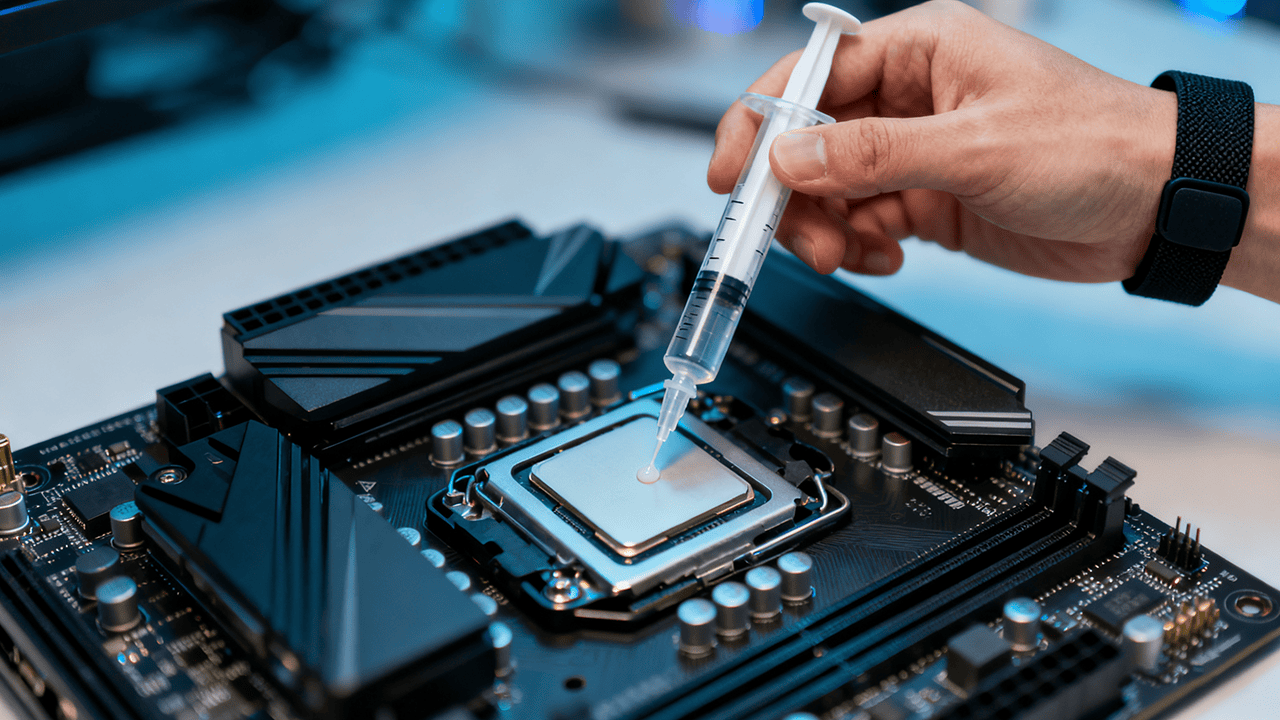
The simple answer is: A pea-sized or small rice-sized amount of about 2–5 mm onto a CPU’s IHS metal base is all you need for maximum CPU cooling and heat transfer between CPU and cooler.
However, for over a decade, PC builders and computer users have debated over how much thermal paste one should apply to the CPU. While some suggested applying a tiny dot, others suggested applying a thick layer. But with small and modern CPUs, you don’t actually need a heavy layer. Just a pea-sized drop of paste is enough.
After you deposit the recommended amount of thermal paste onto the center of processor (IHS) and mounting hardware (cooler), the pressure from cooler itself evenly spread the thermal paste onto the entire surface area of CPU and heatsink.
Finding the Correct Amount For Your CPU or GPU
As we mentioned earlier, a pea-sized amount (of about 2-5 mm) of thermal paste works best for most CPUs, like Intel Core i5, i7, Ryzen 5, 7, and 9. However, in some cases, especially with rectangular or large CPUs, this tiny amount won’t provide enough thermal conductivity.
So, how do you find the correct amount for your CPU? You can determine this by knowing the dimensions (length and width) of your CPU’s integrated heat spreader (IHS) chip. You can find this easily by looking into your PC’s specification manual.
Below is the breakdown of how much thermal paste you should apply based on CPU’s IHS size:
| CPU IHS size (mm) | Suggested Thermal Paste Volume (mm) | Ideal For |
|---|---|---|
| 25 x 25 | 2-4 mm | Small CPUs |
| 30 × 30 mm | 3-4 mm | Medium-sized CPUs |
| 35 × 35 mm | 4-5 mm | Larger CPUs |
Tip: The bigger the CPU, the more product you will need to apply, and vice versa.
Apart from that, the thickness and density of your thermal paste also play a major role. Most low-quality pastes have a runny consistency and provide low thermal conductivity. That’s why you must buy from a reliable and top thermal paste manufacturer like Jiuju. Our thermal paste comes with high density up to 6.5 W/mK. For more details, check out our top 10 thermal paste guide here.
Other Methods of Thermal Grease Application
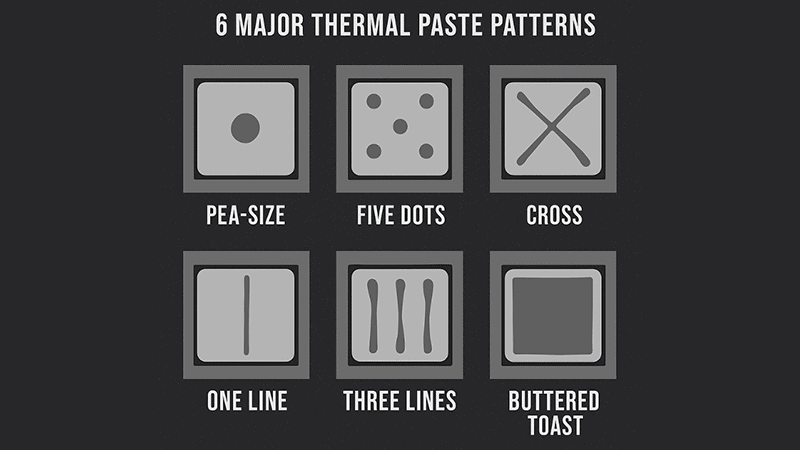
In this section, you’ll learn about different methods to apply thermal paste:
- 5 Dots Method
In this method, you need to deposit very tiny five drops of paste onto the processor or GPU. One exact in the center and four in the corners. Just make sure you deposit each dot of about 0.05 ml.
- Single Line Method
This method is ideal for rectangular or narrow-shaped CPUs. Like Intel 12th/13th Gen or older i5/i7 models. You need to just deposit a fine, yet thin line of paste onto the center of processor (CPU). After that, either manually or by mounting hardware, just spread it evenly.
- Three Lines Method
If your CPU has a wider or larger surface, you can also opt for a three-line method. Same as above, in this method, you need to apply three thin layers of thermal paste, preferably in vertical direction. This ensures enough coverage with low chance of air bubbles.
- Cross (X) Method
This method, on the other hand, is also a great application method for larger CPUs. Make sure you apply thin layer in cross design. Also, ensure you don’t deposit paste very near to CPU’s edges.
- Spread Method
Spread method, often known as butter-toasted method, guarantees complete surface coverage. To use this method, deposit a sufficient paste onto the CPU processor. And then just spread evenly using a spatula or any card like credit card.
Applying Thermal Paste: Step-by-Step Application Guide
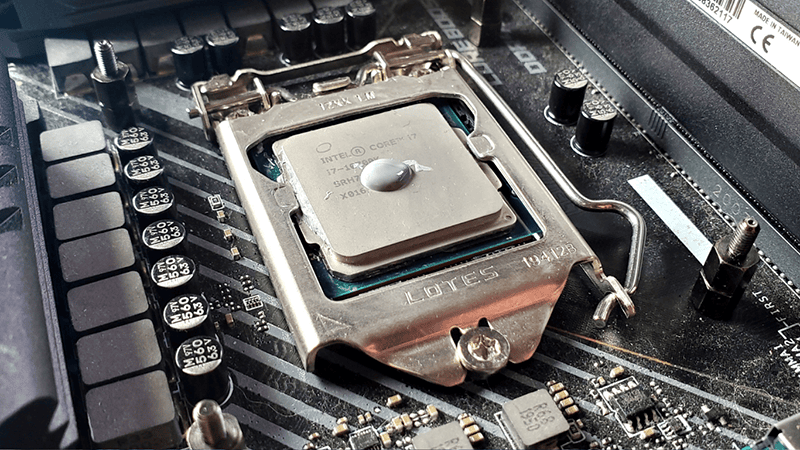
Now that you have an idea of how much thermal paste you should apply, let’s learn the correct way to apply the thermal paste. The process is pretty simple and quick, but requires attention to detail. Whether you’re working on CPU or GPU, follow this all-in-one step-by-step guide on how to apply thermal interface material:
Step 1. Power Off System and Gather Required Materials
Before you start working, make sure you power off your computer from the wall socket. After that, gather all the required stuff. Here is the list of materials you might need for applying thermal paste:
- A high-quality thermal paste
- Non-shedding paper towel/cotton swab.
- Isopropyl alcohol (90% or higher).
- Screwdriver
Step 2. Clean the Old Thermal Compound
Next up, grab a screwdriver and unscrew the cooler. Then, you’ll see the old thermal paste layer. Before applying thermal paste, you need to remove old paste.
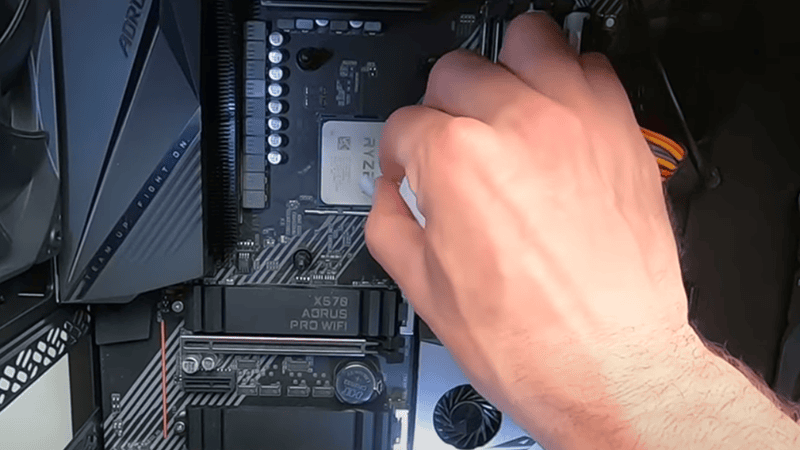
To do that, dip cotton in isopropyl alcohol (90% or higher). If using a non-shedding paper towel, deposit a little amount of isopropyl onto it. Then carefully remove the old thermal paste from the CPU (or GPU).
Once done, wait a few seconds to let the surface dry completely.
Step 3. Apply a Fresh Thermal Paste
Now apply thermal paste on IHS using any of the methods we explained earlier. Just make sure you apply in controlled amount.
To apply fresh paste using dot method, deposit a sufficient pea-sized or grain-of-rice-sized amount of about 3-4 mm in CPU center. If you apply using another method, make sure you apply thin layers.
Step 4. Reinstall the Cooler
Finally, mount your CPU cooler back onto the CPU. Make sure you first properly align the cooler and put in screws. And then, tighten the screws diagonally (in a crisscross pattern). Doing so ensures the thermal paste spreads evenly.
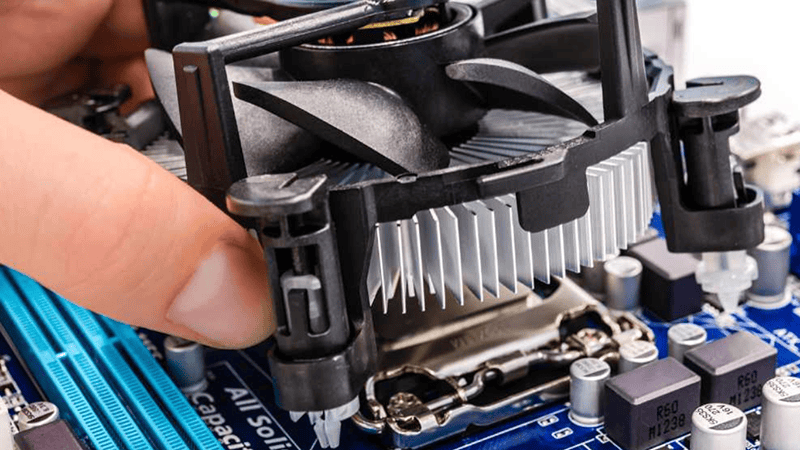
CPU Coolers with Pre-Applied Thermal Compound
Many modern CPU coolers nowadays also come with thermal paste pre applied. Means you don’t need to manually apply the paste while PC building or cooler replacement. Because those coolers already come with pre applied paste. So it’s a great thermal solution option for newbies and those in PC building.
Whereas this thermal solution provides convenience, handling this is also very important to avoid damaging pre applied thermal paste. Even if you unscrew cooler from IHS for any reason, you need to remove the old paste and apply fresh paste before assembling cooler back.
5 Common Mistakes that Could Ruin Your CPU’s Cooling Performance
- Using insufficient thermal paste
If you apply too much paste, it can overflow and damage your PC’s motherboard. A little amount less than 2 mm may leave microscopic gaps. Applying sufficient amount, of 2-5 mm, based on your CPU size is advised.
- Not thoroughly cleaning old paste
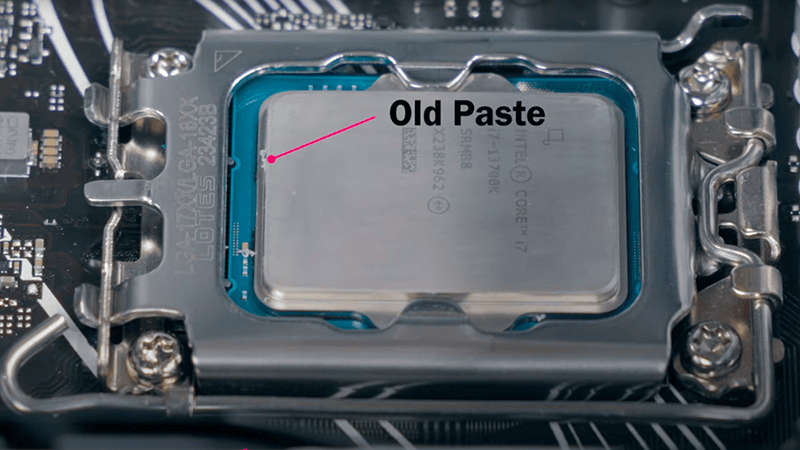
If you fail to properly remove the old paste, the dust, debris or oil buildup can heat flow. Always discard old thermal interface material before applying fresh layer.
- Applying a paste in wrong pattern
If you deposit a big dot of paste or pour too many dots, the paste can overspill. Even a thick layer or manual spreading of paste can also overflow.
- Choosing the wrong type of thermal paste
Mostly inexpensive thermal interface material provide low thermal conductivity. So choose thermal gel or paste from a trusted company.
- Waiting too long to let thermal paste dry
If you wait too long for the paste to dry, the dust can settle over it. In fact, this way, your paste’s lifespan can be decreased. Though waiting few seconds is ideal.
Conclusion:
After reading this guide, you may now know that the amount of thermal grease you need to apply to CPU depends on your CPU’s IHS size. In fact, the quality of your thermal paste also plays a significant role. If you’re still not sure about thermal solution, contact Jiuju’s expert team today to get assistance in choosing a suitable solution for you.